
Managing General Enquiries
When a traveler submits a general question, it will appear in your Enquiries & Bookings queue just like a standard lead.
-
Prompt Responses: These travelers are often in the early stages of planning. Responding quickly is key to building trust and guiding them toward a booking.
Converting a General Question into a Tour Enquiry
If a traveler’s general interest turns into a specific tour lead, you can easily transition the enquiry type. This allows you to access the full suite of booking tools for that specific trip.
How to transform the enquiry:
-
Open the message in your Enquiries & Bookings dashboard.
-
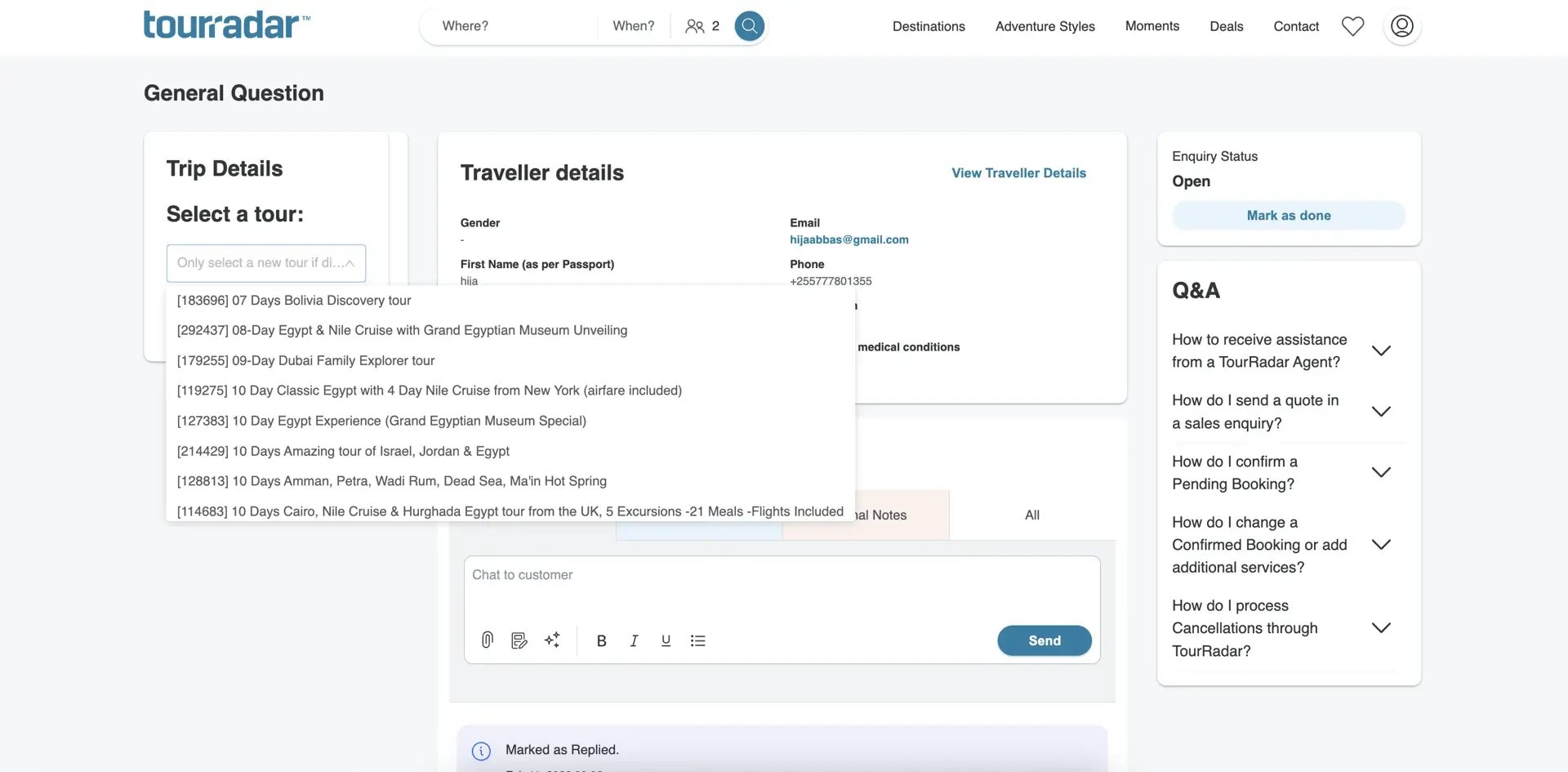
Click the "Add Tour" button in the top left-hand side of the page.
-
Select the relevant tour from the dropdown menu featuring all your active tours.
-
The system will then convert the General Question into a Tour Enquiry.
Key Detail: The Enquiry ID remains the same, but the conversion unlocks standard features like quoting, adding custom prices, and managing the booking flow as you normally would for a tour-specific lead.
Why use "Add Tour"?
Converting the enquiry ensures that your sales data is accurate and allows you to send official quotes that the traveler can pay for directly through the platform. It moves the conversation from a general chat to a concrete sales opportunity.